This is a personal blog and all content herein is my own opinion and not that of my employer.
Background
Continuous Access Evaluation, or CAE, is one of those security controls with a wonderfully descriptive name.
Access is not supposed to be evaluated only when you first authenticate.
It is supposed to be evaluated continuously.
Normally, OAuth access tokens can remain valid for some time after issuance. That creates an obvious problem: what happens if the circumstances under which a token was issued change before the token expires?
Perhaps the user’s account is disabled. Perhaps their session is revoked. Perhaps their password changes. Or perhaps, as in this case, they move from a network location permitted by Conditional Access to one that is explicitly blocked.
CAE exists to reduce that window.
Rather than simply waiting for an access token to expire naturally, supported services can react to certain events and require the client to reauthenticate.
At least, that’s the theory.
While testing Conditional Access behaviour with Outlook Mobile, I discovered something rather different.
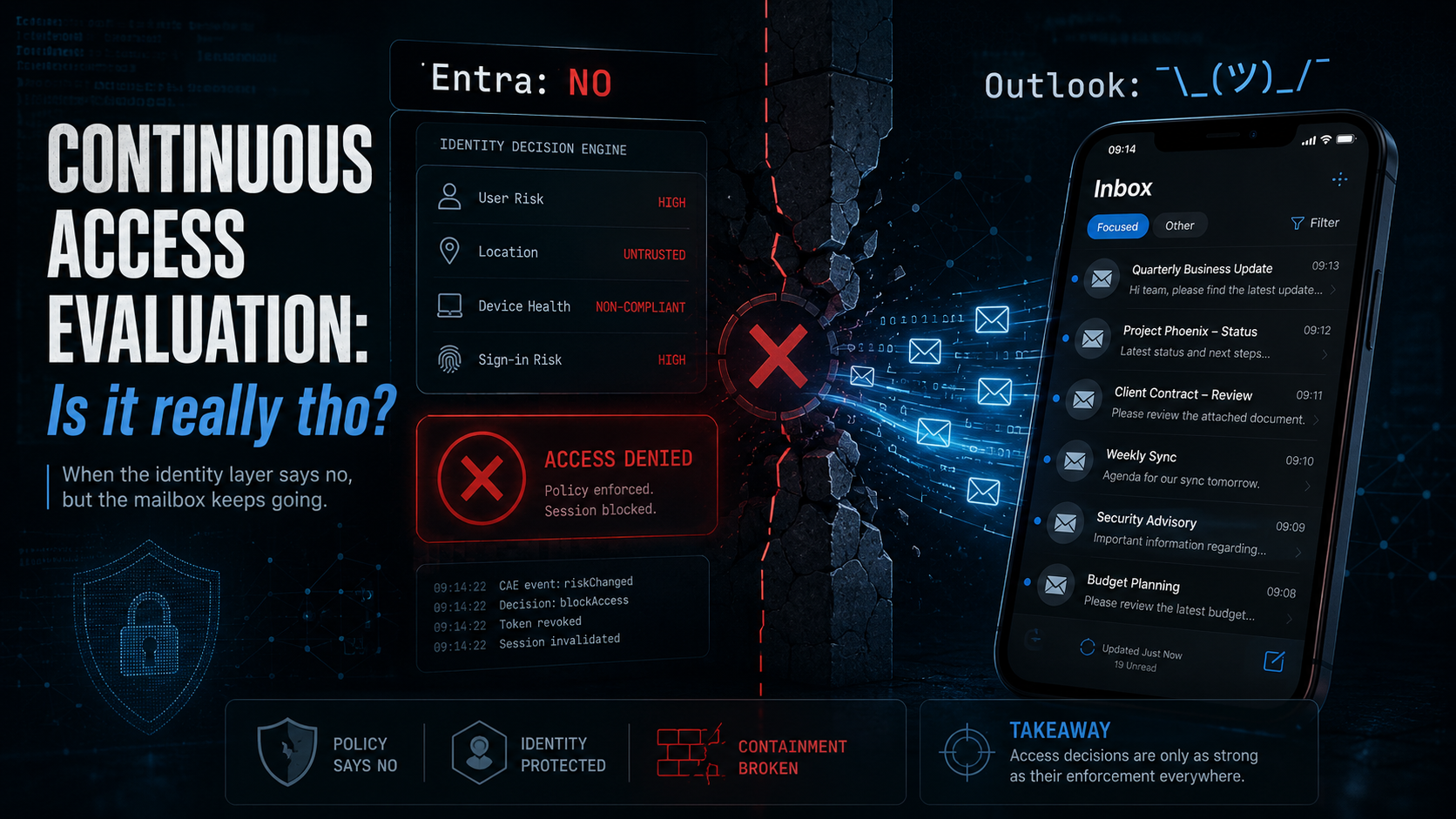
Entra said access was blocked.
Outlook carried on anyway.
And not merely with email already cached locally.
It continued receiving new mailbox data.
Continuous Access Evaluation: Is It Really Tho?
There is a slightly absurd aspect to having to ask that question about a feature with the word Continuous literally in its name, but here we are.
The expected model is straightforward.
The important part is that the user necessarily already has access.
That is the security state CAE exists to re-evaluate.
Keep that in mind. It becomes important later.
Discovery
The test was simple.
I signed into Outlook Mobile normally from an allowed network location and confirmed that the mailbox worked as expected. I then changed the network context so that the device appeared to originate from a country explicitly blocked by Conditional Access.
In my testing I used a VPN endpoint in China.
The Conditional Access policy behaved exactly as expected.
Entra sign-in logs showed the access attempt being blocked because of the user’s location.
Interactive authentication could no longer satisfy the policy.
So far, so good.
Except Outlook Mobile continued working.
I could:
- Open mailbox content.
- Receive new email.
- Send email.
- Continue interacting with Exchange Online.
At various points Outlook would eventually display a sign-in prompt.
Ignoring that prompt did not necessarily stop mailbox access.
That was unexpected.
What I Expected To Happen
Once the user’s network context changed to a location that no longer satisfied Conditional Access, I expected CAE to force the session back through authorisation.
Conceptually:
What I actually observed was closer to this:
I cannot see Microsoft’s internal Outlook Mobile architecture, so the intermediary shown above should be treated as a model of the observed behaviour, not a claim about a specific undocumented implementation.
The important point is that mailbox access continued after the identity layer had determined that the user’s current access conditions no longer satisfied policy.
Testing Beyond The Access Token Lifetime
A reasonable first explanation would be that Outlook simply possessed an access token issued before the network location changed.
Access tokens are not usually instantaneous revocation mechanisms.
So I waited. And waited.
The session remained usable beyond the expected access token lifetime of 60-90 minutes.
New email continued arriving. That significantly changes the question.
This was no longer simply:
“An already-issued token works for a while.”
Something was continuing to provide Outlook Mobile with access to Exchange Online after Conditional Access had determined that the session no longer complied with policy.
Testing Explicit Session Revocation
Next I tried something less subtle.
From:
https://mysignins.microsoft.com
I selected Sign out everywhere.
That should invalidate the user’s sessions and require authentication again.
The effect was interesting.
Some active communication/session behaviour was terminated. Mailbox data access, however, did not necessarily stop immediately.
Outlook Mobile could continue accessing Exchange Online data after the session had explicitly been revoked.
At this point the test case had moved well beyond token expiry timing.
We now had three independent signals:
- Conditional Access said access was blocked.
- CAE should require reauthentication.
- The session had explicitly been revoked.
Yet Exchange Online mailbox access could continue.
The security-state transition looked like this:
That last transition is the problem.
It’s Not Just Cached Email
Outlook Mobile is, obviously, an offline-capable email client.
This distinction became important during the MSRC investigation. Reading an email that was already synchronised onto the device before session revocation is not particularly interesting.
The data is already there.
That is not the issue I reported.
The important observation was that Outlook Mobile continued retrieving new email arriving after the Conditional Access / CAE event. This demonstrated continued server-side access. The application was not simply displaying stale cached content. It was still talking to Exchange Online.
The Logs Get Interesting
The Entra logs made the behaviour even more interesting.
Interactive authentication attempts correctly showed Conditional Access blocking access from the restricted location.
But successful non-interactive sign-ins could continue. Those events did not originate from the IP address of the mobile device. They originated from Microsoft infrastructure.
For example, the user might appear to be connecting from the blocked country while successful backend authentication activity appeared to originate from Microsoft infrastructure in the UK.
The observed relationship looked roughly like this:
That does not prove a particular token exchange, OBO implementation or backend design. It does, however, demonstrate something operationally important:
continued mailbox access was not simply originating from the user’s device in the way an administrator might reasonably expect.
The location of the user and the location of the Microsoft-hosted service acting in the data path were different security contexts. If downstream access is not bound tightly enough to the current validity of the originating user session, that creates an enforcement gap.
Is This Just How CAE Works?
I wanted to make sure I was not misunderstanding CAE itself. So I tested other Microsoft applications under the same Conditional Access policy.
Microsoft Teams
Teams reacted to the change in location and stopped access quickly.
Azure Portal
Azure Portal also correctly enforced the changed Conditional Access state.
Outlook Mobile
Outlook continued working. The behaviour was also reproduced across multiple Microsoft 365 tenants. That was an important control test.
If every CAE-aware application behaved the same way, this might simply have been a misunderstanding of Microsoft’s documented behaviour.
They did not.
The behaviour appeared specifically associated with Outlook Mobile / Exchange Online.
Same policy. Same changed condition. Different enforcement.
Intune App Protection Was Still Working
The device was also subject to Intune App Protection Policy.
Those controls remained active.
For example:
- Screenshot restrictions remained enforced.
- Data protection controls remained enforced.
- The managed application continued behaving as a managed application.
This was useful evidence because it showed that Outlook had not somehow fallen into a completely broken or unmanaged state.
The application was alive. Management was alive. Exchange access was alive.
The thing that was not being consistently enforced was the session validity decision.
Reproduction
Preconditions
- Microsoft 365 mailbox.
- Outlook Mobile on iOS or Android.
- Conditional Access policy restricting access by location.
- Continuous Access Evaluation enabled.
- Optional Intune App Protection Policy.
Steps
- Sign into Outlook Mobile from an allowed network location.
- Confirm normal mailbox access.
- Change the device network context to a location blocked by Conditional Access.
- Observe the Conditional Access failure in Entra sign-in logs.
- Continue using Outlook Mobile.
- Confirm that new mailbox data remains accessible.
- Wait beyond the expected access-token lifetime.
- Confirm continued access.
- Use Sign out everywhere from
mysignins.microsoft.com. - Continue using Outlook Mobile.
- Observe whether new mailbox data remains accessible without successful reauthentication.
For comparison, repeat the location-change test using another Microsoft application such as Teams.
Detection And Hunting
During the investigation I used Entra sign-in telemetry to correlate blocked interactive authentication with successful non-interactive activity.
A simplified starting point looks something like:
let TimeWindow = ago(3d);

SigninLogs
| where TimeGenerated >= TimeWindow
| where AppDisplayName == "Outlook Mobile"
| where IsInteractive == true
| where ResultType != 0
| where ResultDescription contains "Access has been blocked by Conditional Access policies."
| project
    TimeGenerated,
    UserPrincipalName,
    AppDisplayName,
    IPAddress,
    Location,
    ConditionalAccessStatus,
    ConditionalAccessPolicies,
    ResultDescription
| order by TimeGenerated desc
The interesting part is then correlating these blocked events with successful non-interactive sign-ins for the same user and timeframe.
What you are looking for is roughly:
The useful hunting question is not merely:
“Did Conditional Access block the user?”
It is:
“Did resource access or associated non-interactive activity continue after Conditional Access blocked the user?”
Those are very different questions.
Security Impact
The issue is fundamentally about the continued validity of previously authorised sessions.
A user or attacker with an existing authenticated Outlook Mobile session may be able to retain mailbox access after security controls determine that the session should no longer be trusted.
Examples include:
- The device moving into a geographically blocked location.
- An administrator attempting to contain an incident by revoking sessions.
- A user deliberately attempting to terminate active sessions.
- Conditional Access determining that continued access no longer satisfies policy.
Mailbox content is among the most sensitive information held by many organisations.
Email frequently contains:
- Password reset links.
- Authentication notifications.
- Confidential business information.
- Legal correspondence.
- Financial information.
- Internal security notifications.
- Links to documents and collaboration systems.
- Information useful for further social engineering.
Session revocation is therefore not merely an authentication convenience.
It is an incident containment control.
If a security administrator revokes a session because they believe an account or device is compromised, they reasonably expect access to stop.
The Security Boundary
The important state transition is this:
The observed Outlook behaviour was instead:
That is the entire issue. The fact that the user was authorised previously is not incidental. It is literally the security state CAE exists to re-evaluate.
Root Cause Hypothesis
Based on the observed behaviour, my hypothesis is that session validity signals are not being enforced consistently across all components involved in Outlook Mobile mailbox access.
Potential boundaries include:
- CAE / Conditional Access evaluation.
- Token refresh and issuance.
- Outlook Mobile client-side session handling.
- Microsoft-hosted intermediary services.
- Service-to-service or on-behalf-of access paths to Exchange Online.
- Exchange Online resource enforcement.
A simplified model looks like this:
I want to be explicit here: this is a hypothesis based on externally observable behaviour.
I do not have visibility into Microsoft’s internal implementation.
The externally verifiable finding is simpler:
Entra can determine that the user’s current session should not continue, while Outlook Mobile can continue receiving new Exchange Online mailbox data.
Responsible Disclosure
I reported the issue to the Microsoft Security Response Center (MSRC) on 26 April 2026.
The report included:
- Detailed reproduction steps.
- Conditional Access evidence.
- Interactive and non-interactive sign-in analysis.
- Cross-application testing.
- Cross-tenant reproduction.
- Screen recordings.
- Screenshots.
- Outlook Mobile diagnostic data.
- Testing beyond the expected access-token lifetime.
- Explicit session revocation testing.
Timeline
| Date | Event |
|---|---|
| 26 April 2026 | Initial report submitted to MSRC |
| 27 April 2026 | Additional KQL detection and hunting queries supplied |
| 27 April 2026 | Two-part video PoC uploaded |
| 28 April 2026 | Additional testing demonstrated inconsistent prompts and CAE logging |
| 28 April 2026 | Observed cases where logs showed access blocked while Outlook remained functional |
| 28 April 2026 | Confirmed issue appeared specific to Outlook Mobile after comparison testing |
| 29 April 2026 | Confirmed Teams and Azure Portal correctly enforced the same location policy |
| 7 May 2026 | MSRC confirmed engineering investigation was ongoing |
| 15 May 2026 | MSRC again confirmed engineering investigation |
| 2 June 2026 | Microsoft stated they had not yet reproduced the CAE trigger scenario |
| 3 June 2026 | Clarified that the issue included new email received after the CAE trigger, not only cached messages |
| 9 June 2026 | Further Outlook diagnostics, screenshots and video PoC supplied |
| 18 June 2026 | Asked whether any further evidence was required |
| 26 June 2026 | Requested an update |
| 2 July 2026 | Requested an update after almost one month without response to the additional PoC |
| 3 July 2026 | Advised Microsoft of intended disclosure after the 90-day CVD period |
| 25 July 2026 | 90 days from original report |
| 28 July 2026 | Asked whether Microsoft was still actively investigating the issue |
| 31 July 2026 | Microsoft apologised for the lack of updates |
| 7 August 2026 | Asked for expected timeline for next update |
| 26 August 2026 | Requested another update |
| 28 August 2026 | MSRC closed the case as Moderate severity and below the bar for immediate servicing |
Four months.
Microsoft’s Response
On 28 August 2026, MSRC closed the case.
The key part of the response was:
After careful review, this case was assessed as moderate severity and is below Microsoft’s threshold for immediate servicing. This is due to the requirement of requiring prior access to the accounts.
Microsoft confirmed that the issue had been assessed as Moderate severity.
No CVE will be issued. No bounty is payable. MSRC will no longer track the issue.
The report has instead been shared with the responsible engineering team for awareness and internal review.
Microsoft also offered recognition through the MSRC Special Mentions programme.
“Requires Prior Access”
This is where I fundamentally disagree with Microsoft’s reasoning.
The requirement for prior authorised access is not a mitigating precondition of this issue.
It is the entire purpose of Continuous Access Evaluation.
CAE exists to evaluate what happens when a previously authorised session no longer satisfies the conditions under which access was granted.
Without prior access there is no continuous session to evaluate.
Consider the logic:
Saying that a CAE enforcement failure has reduced impact because the attacker requires prior access is rather like saying session revocation is less important because a session must exist before you can revoke it.
Of course it does - that’s the whole point.
The security question is not:
Did this user once have permission to access the mailbox?
The security question is:
Can that user continue accessing the mailbox after the identity platform has determined that the conditions permitting that access are no longer satisfied?
In my testing, the answer for Outlook Mobile was yes.
Or, to put it another way:
Prior access is precisely the point.
Why Should You Care?
Modern identity security increasingly assumes that authorisation is dynamic.
Zero Trust architectures are built around the idea that access is not permanently trusted simply because authentication happened once.
We evaluate:
- User identity.
- Device state.
- Network location.
- Risk.
- Session state.
- Authentication strength.
- Organisational policy.
And we keep evaluating those things.
That is exactly what makes CAE valuable.
But a security decision is only useful if it reaches the resource being protected.
Every component in that chain has to preserve the decision.
If one downstream component continues honouring the previous security state, the practical result is:
Entra: NO

Outlook: ¯\_(ツ)_/¯
The identity control becomes advisory rather than authoritative.
Revocation Is An Incident Response Control
This becomes even more important during incident response. Suppose a SOC believes a user’s account or mobile device has been compromised. One of the first containment actions will often be to revoke active sessions.
The administrator performing that action is making a security decision:
this existing access should stop.
They are not asking whether the attacker originally authenticated legitimately. They are explicitly invalidating previously legitimate access because it is no longer trusted.
If Outlook Mobile can continue accessing new mailbox data after that decision, the problem is not authentication.
It is enforcement.
And enforcement failures are particularly dangerous because they create false assurance. The portal tells the administrator that access has been revoked. Conditional Access tells them the new location is blocked. The sign-in logs tell them authentication failed.
Meanwhile:
You’ve got mail.
Why Backend Access Matters
The non-interactive sign-ins observed during testing are perhaps the most interesting part of this issue.
Modern mobile services frequently use cloud-hosted intermediary infrastructure.
There are perfectly legitimate architectural reasons for doing this.
It can improve:
- Push notifications.
- Synchronisation.
- Battery usage.
- Performance.
- Reliability.
But introducing an intermediary also introduces another trust relationship.
The security state of the original user session must remain attached to any downstream activity performed on that user’s behalf.
Otherwise the architecture risks accidentally transforming:
The backend service may be trusted. The user’s session no longer is. Those are not equivalent security states.
Secure By Design Means Following The Decision
There is a broader lesson here.
Modern security architectures contain enormous amounts of machinery dedicated to making access decisions.
Identity Protection evaluates risk. Conditional Access evaluates policy. CAE reacts to changing conditions. Session revocation provides containment. Authentication Context adds further policy boundaries.
Eventually all of that machinery produces something remarkably simple:
YES
or:
NO
The protected resource has to honour that decision.
Every hop. Every proxy. Every intermediary. Every service-to-service token exchange. Every on-behalf-of flow. Every synchronisation service.
Because the weakest enforcement point defines the real boundary.
Mitigations
There are unfortunately limited customer-side mitigations for a service-side session enforcement issue.
However, there are still some things worth considering.
Do Not Treat Session Revocation As Instant Containment
During a suspected mailbox compromise, do not assume that selecting Sign out everywhere means every Microsoft service immediately stops processing activity associated with the user’s existing sessions.
Validate the effect.
Monitor Mailbox Activity
Use Exchange Online and identity telemetry to look for activity continuing after session revocation or Conditional Access failure events.
Correlate Interactive And Non-Interactive Sign-ins
Look for users experiencing interactive Conditional Access failures while associated non-interactive activity remains successful.
Particularly interesting cases include differing geographic contexts between the two.
Use Multiple Containment Controls
During active compromise, consider broader containment actions appropriate to your environment rather than relying solely on session revocation.
The important operational lesson is simple:
revocation should be verified, not assumed.
Responsible Disclosure Is A Two-Party Protocol
I have reported a number of security issues to Microsoft. I continue to believe responsible disclosure is usually the right thing to do. Researchers should give vendors reasonable time to investigate. We should provide reproducible evidence. We should avoid unnecessarily exposing customers while remediation is possible.
We should answer questions. We should test hypotheses. We should behave responsibly.
But coordinated disclosure requires coordination.
This report was submitted on 26 April 2026.
Over the following four months I supplied logs, queries, screenshots, video, diagnostics, comparative tests, multiple tenant reproductions and clarification that this involved new server-side mailbox content rather than merely cached email.
There were also extended periods where I received no substantive update until I asked again.
And again.
And again.
The eventual rationale for closure was that exploitation requires prior account access.
That rationale does not address the security property being tested. Prior authorised access is precisely the thing CAE exists to continuously evaluate.
Responsible disclosure cannot simply mean that researchers provide vendors with indefinite confidentiality while vendors decide whether an issue reaches an internal servicing threshold.
Responsibility exists on both sides of the protocol.
Closing Thoughts
This issue is not about whether Outlook can display cached email offline.It is not about whether an access token remains valid for another few minutes. And it is not about an unauthenticated attacker magically obtaining someone’s mailbox.
It is about something much simpler.
A user has access.
The circumstances under which that access was granted change.
Conditional Access determines that the user should no longer have access.
The session is explicitly revoked.
Outlook Mobile continues receiving mailbox data anyway.
That is precisely the scenario Continuous Access Evaluation exists to handle.
Microsoft assessed the issue as a Moderate-severity vulnerability but chose not to service it through MSRC because exploitation requires prior access. I think that reasoning misses the point.
Because prior access is precisely the point.
If a previously authorised session cannot be reliably stopped when it becomes unauthorised, the problem is not how the session started.
The problem is that it didn’t end.
As ever, thanks for reading and feel free to leave comments down below!