
Self-Hosting Umami on Netlify + Azure
Prisma fights, pgcrypto drama, CSP facepalms, cold starts… and assumptions with teeth
TL;DR
I set out to self-host Umami analytics for this website using:
- Netlify (Next.js runtime - I already host my site here so it made sense to me!)
- Azure PostgreSQL Flexible Server (I have a Visual Studio Enterprise subscription with Azure Credits so paying for PostgreSQL hosting anywhere else felt stupid!)
- Terraform + GitHub Actions (OIDC, no secrets)
What followed:
- Prisma migrations breaking on Azure extension restrictions
- Authentication and permission quirks
- Netlify build/runtime oddities
- CSP silently killing analytics
- “Performance issues” that turned out not to be database-related
What I ended up with:
- A clean, privacy-friendly analytics platform
- A deeper understanding of cold starts
- And a reminder that:
Assumptions have teeth

Architecture (What I Built)
Supporting stack:
- DNS: Netlify
- App Hosting: Netlify
- Code Hosting: GitHub
- Infra: Terraform
- Identity: OIDC → Entra
- Secrets: Key Vault (eventually)
Identity & Deployment (No Secrets, No Regret)
This is one of those:
“Once you do it this way, you never go back”
moments.
I’m a big fan of WIF/Federated Credentials/OIDC anywhere I can use it - and if I’m going to push people to do it in my day job, I’m going to eat my own dog food too!

The Journey (Where Things Went Sideways)
1. Connection String Lies
Initial error:
password authentication failed for user "ctadmin"
Reality:
- Password wasn’t URL encoded
- Azure expects strict URI format
Correct format:
postgresql://admin:<encoded>@host:5432/umami?sslmode=require
2. Azure vs pgcrypto
ERROR: extension "pgcrypto" is not allow-listed
Azure managed Postgres is:
“Postgres… but with opinions”
Fix:
resource "azurerm_postgresql_flexible_server_configuration" "extensions" {
  name  = "azure.extensions"
  value = "pgcrypto"
}
3. Prisma Says “No”
P3009: migrate found failed migrations
Fix:
pnpm prisma migrate resolve --applied 01_init
Prisma doesn’t forget. Or forgive.
4. Permissions (The Sneaky One)
Even after “success”:
P1010: access denied
Fix:
ALTER DATABASE umami OWNER TO ctadmin;
ALTER SCHEMA public OWNER TO ctadmin;
GRANT ALL ON SCHEMA public TO ctadmin;
Because Azure created the DB… but not in a way your app actually wants.
5. Netlify “Helpful Magic”
Error:
publish directory cannot be same as base
Fix:
- Remove config
- Trust the plugin
- Fix lockfile:
pnpm install --no-frozen-lockfile
6. CSP (The Silent Assassin)
Everything loaded.
Nothing worked.
Cause:
- script-src ✔
- connect-src ❌
Fix:
connect-src https://{analyticsSubdomain}.cirriustech.co.uk;
Instant recovery.
Performance: The Bit That Looks Like a DB Problem (But Isn’t)
Observed:
- ~8s blank UI
- ~8s data load
- then fast
That pattern matters.
If it were the DB:
- every query would be slow
- not just the first
But:
- warm = fast
- metrics = idle
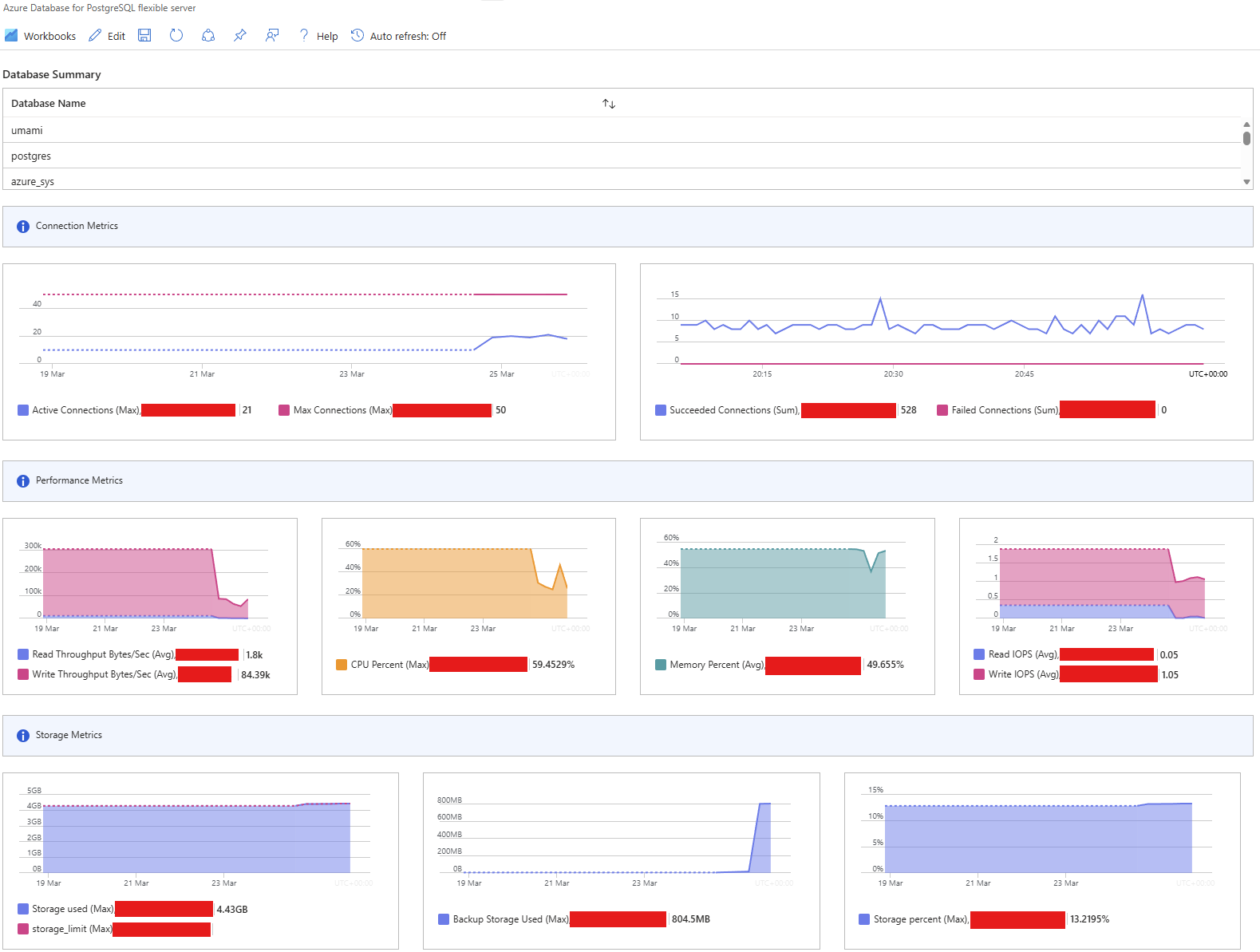
So:
The database has an alibi
Cost Reality Check
| Option | Cost | Behaviour |
|---|---|---|
| B1ms | £ | Slow cold start, fast warm |
| B2s | £££ | Slightly faster cold, no real gain |
| VM (DB only) | ££ | Consistent but more ops |
| VM (full stack) | £ | Fast, but you own everything |
| Azure Container Apps hybrid | ££ | Interesting, but awkward split |
Key insight:
Scaling the DB masked the symptom, not the cause.
What I’d Do Differently
If starting again:
1. Assume cold start first
Not database.
Always.
2. Validate with metrics before scaling
If health graphs are flat:
it’s not the DB
3. Fix CSP early
Because debugging “nothing happens” is painful.
4. Treat managed services as opinionated
Not neutral.
5. Keep architecture coherent
Avoid weird splits (e.g. ACA + VM hybrid madness)
Production Hardening Checklist
- Lock down DB firewall
- Move secrets to Key Vault
- Automate Netlify env sync
- Add uptime ping (keep warm)
- Ignore internal traffic in Umami
- Add event tracking
- Enable CSP report-only
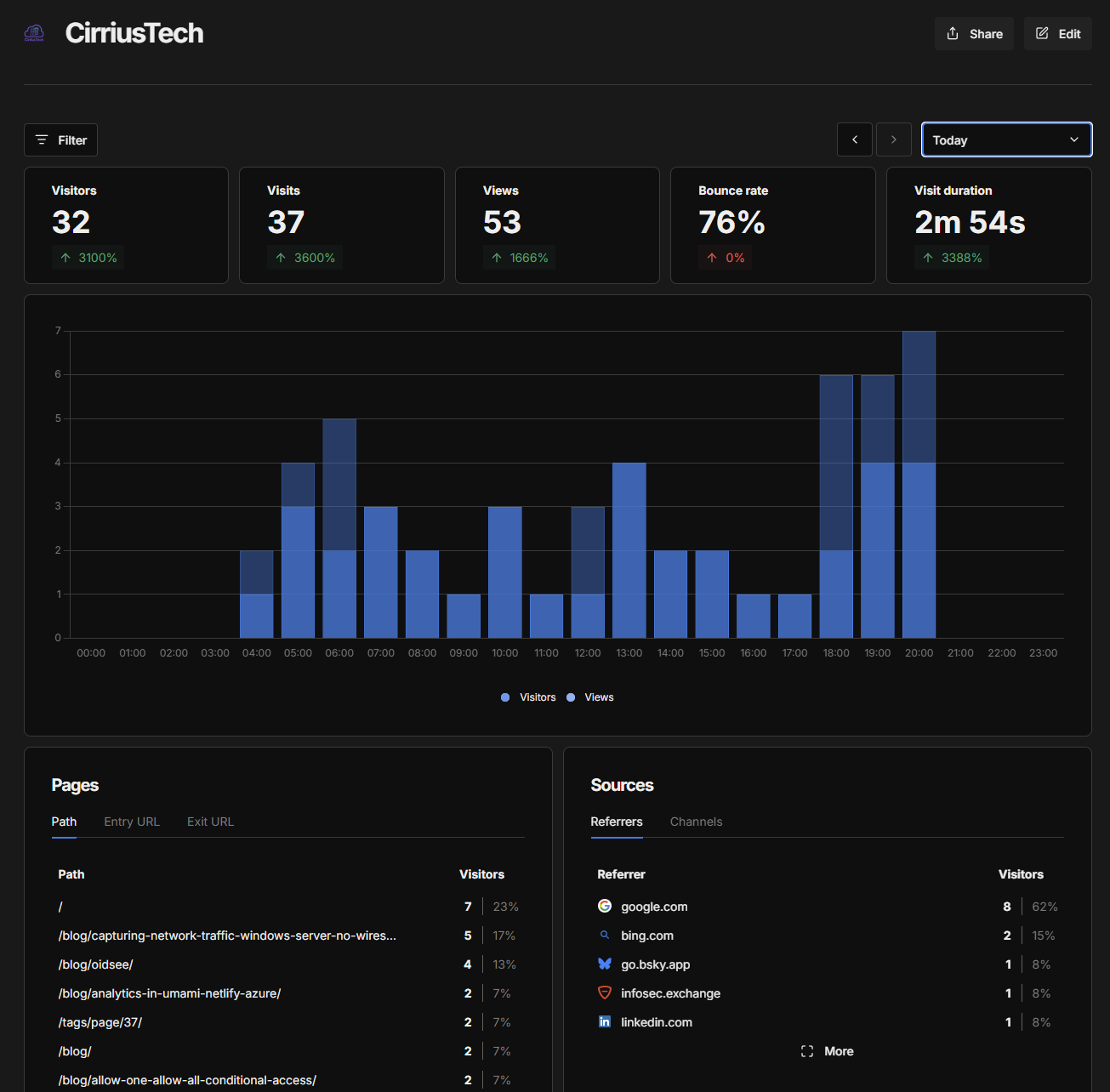
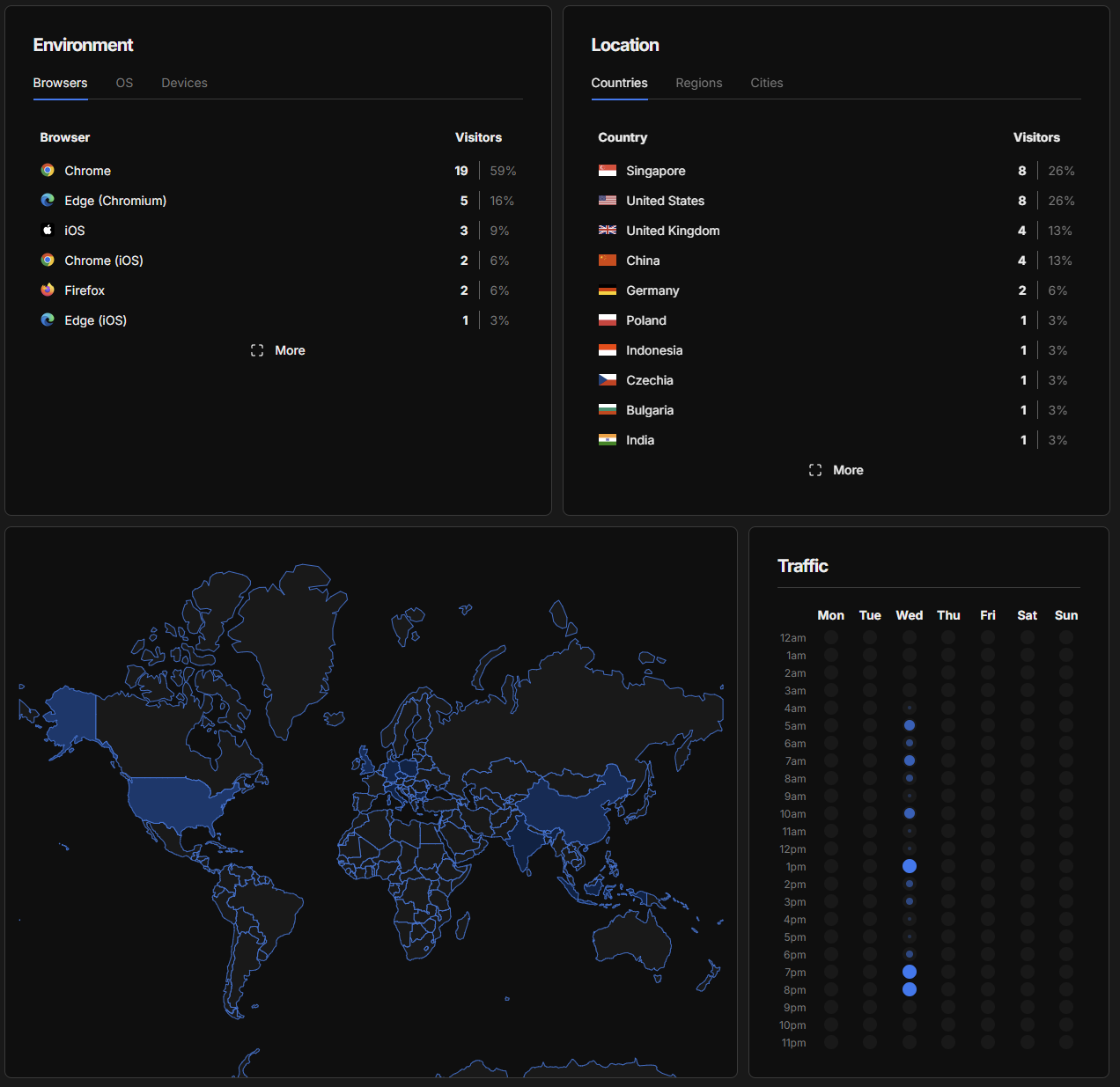
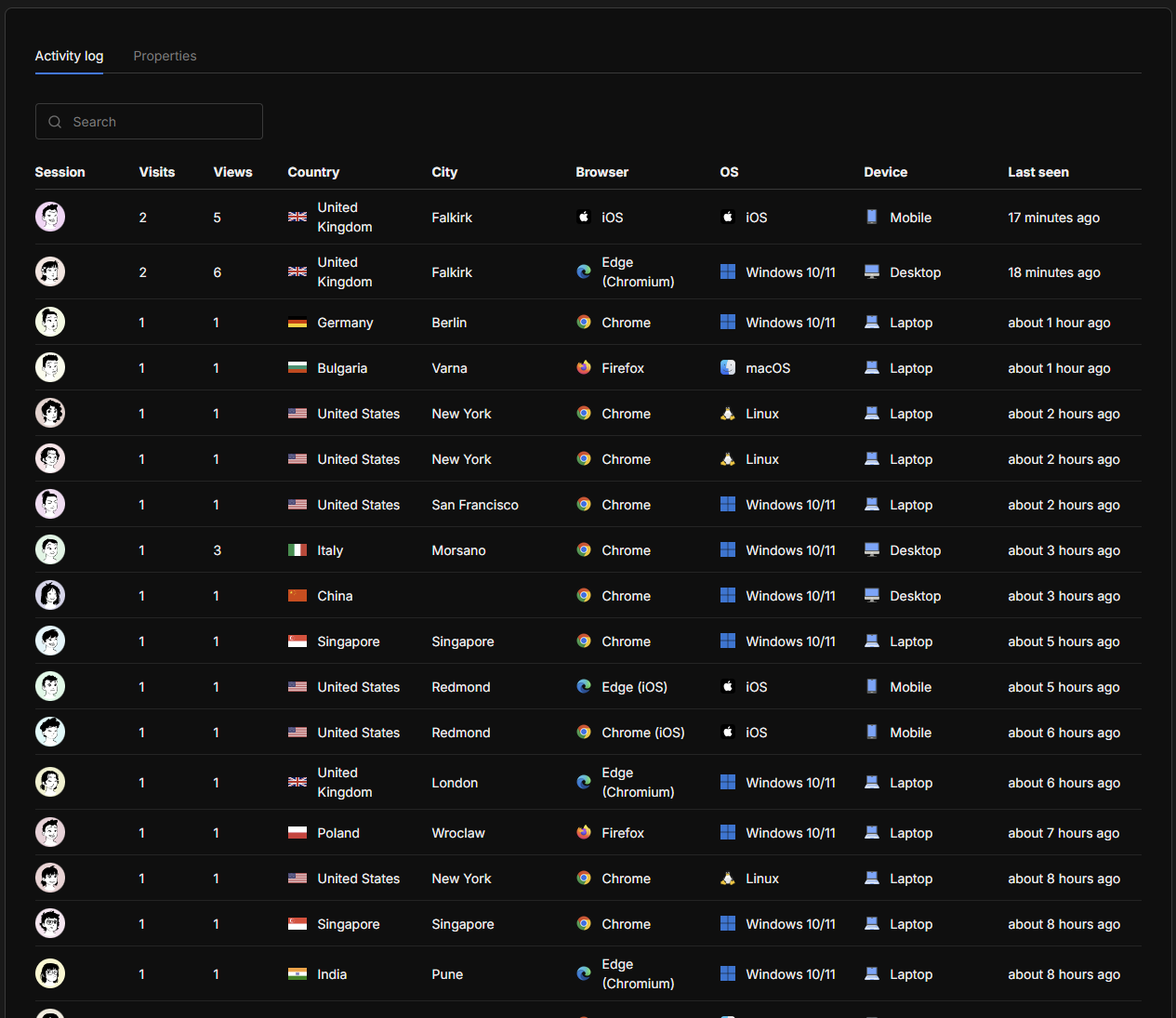
Final Result
- Clean analytics
- Custom domain
- Privacy-first
- Cheap
- Fully controlled
Closing Thought
This started as:
“Spin up Umami”
It became:
“Understand runtime behaviour, Prisma, CSP, Azure constraints, and cold starts”
Which is, honestly, the point.
Because…
Assumptions Have Teeth
If you want more detail on the solution, feel free to leave a comment, or email me (link on homepage - while you’re there, have a look around! 😎
This is a personal blog. Opinions are my own.